What You Need To Start A Screen Printing Shop: Equipment & Supply Checklist
What You Need To Start A Screen Printing Shop: Equipment & Supply Checklist
Starting a screen printing shop is a major step—but one that can be incredibly rewarding. Whether you’re launching a small studio or planning a scalable production setup, having the right equipment from the beginning will save time, money, and frustration.
Below is a complete, practical checklist of the essential equipment and supplies you’ll need to build a functional screen printing shop. This guide is written from a professional, production-focused perspective to help new printers make informed decisions without unnecessary upgrades.
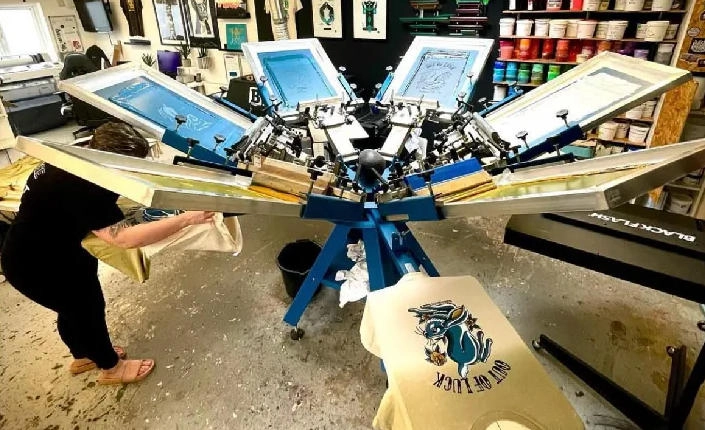
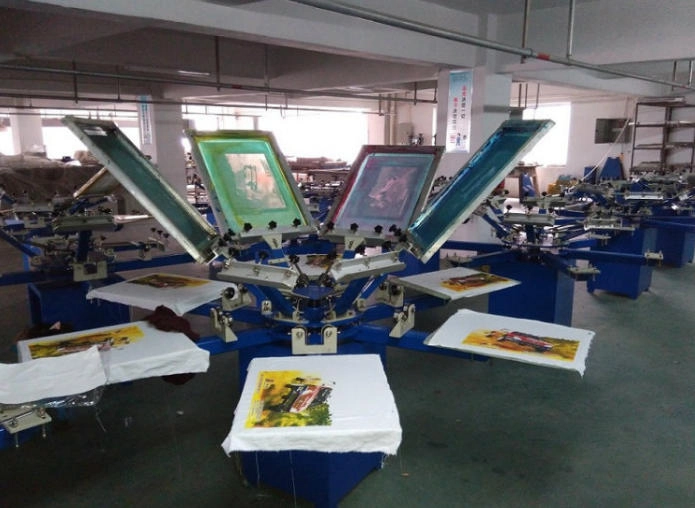
Manual Screen Printing Press
The manual press is the core of any screen printing shop. With so many presses available on the market—each offering different configurations, features, and price points—it’s important to choose based on your production goals, not just your budget.
When selecting a press, focus on:
•Stable construction and precise registration
•Smooth micro-registration adjustments
•Expandability (additional color stations or platens)
•Long-term reliability
For beginners, a basic multi-color manual press is often the best choice. It allows you to learn registration, ink control, and workflow fundamentals without overwhelming complexity.
If your goal is to build a commercial printing business, consider a mid- to high-level manual press with solid aluminum components and accurate adjustment systems. These presses support consistent output and can grow with your shop as order volumes increase.
A Reliable Way to Gel (Flash) Ink
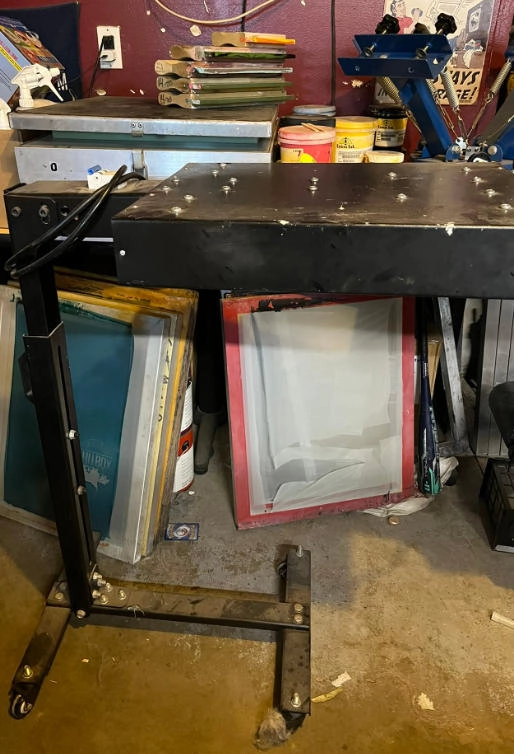
If you plan to print multi-color designs, you’ll need a method to gel ink between colors. While heat guns can work in very limited situations, they are difficult to control and often cause uneven results.
A flash dryer is the most effective solution. It delivers even, controlled heat across the print surface, allowing ink layers to gel properly without overcuring.
For professional results, choose a flash dryer with:
•Even heat distribution
•Adjustable height
•Stable temperature control
•Compatibility with different platen sizes
Flash dryers are essential for clean multi-color prints and efficient workflow in any serious shop.
Equipment for Properly Curing Garments
Curing is critical. Improperly cured prints will crack, fade, or wash out—leading to customer complaints and reprints.
There are three common curing methods:
Flash Dryer (Entry-Level Option)
Many new printers use a flash dryer for curing. While this works, curing time will vary depending on:
•Ambient room temperature
•Garment material
•Ink type
•Platen temperature
This method requires close monitoring and testing.
Heat Press (Intermediate Option)
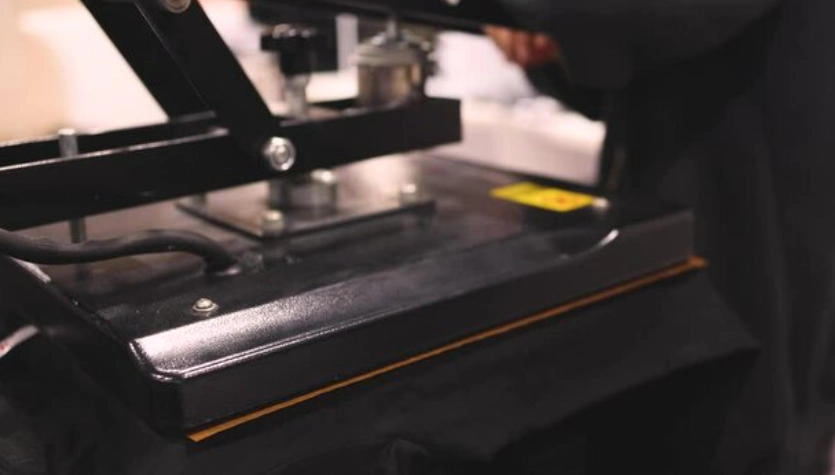
A heat press provides stable, consistent temperature and pressure. It’s more reliable than a flash dryer for curing and offers visual temperature feedback. If you already decorate garments using vinyl or transfers, a heat press can serve multiple purposes.
Conveyor Dryer (Professional Solution)
A conveyor dryer is the most efficient and consistent curing solution. It allows continuous production, precise temperature control, and uniform curing across large volumes. While it may not be feasible at the beginning, it should be a long-term investment goal for growing shops.
Exposure Unit (Essential Darkroom Equipment)
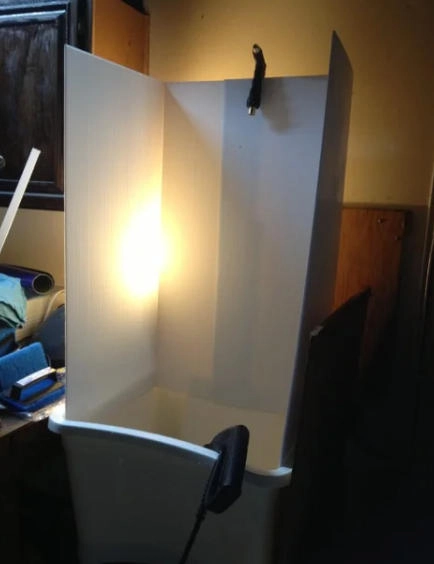
An exposure unit is used to transfer artwork onto coated screens, making it one of the most important tools in your shop.
While basic light sources can work, modern LED exposure units offer major advantages:
•Long lifespan
•Low energy consumption
•Consistent light output
•Sharper stencil edges
LED exposure units dramatically reduce exposure variables and improve stencil quality, especially for fine detail and halftones.
Pro Tip: Always expose screens in a light-safe environment to prevent premature exposure.
Space for Cleaning & Reclaiming Screens
You’ll need a designated area to wash out exposed screens and reclaim used ones.
The most efficient solution is a washout booth, which allows controlled rinsing and proper wastewater management.
If a washout booth isn’t available:
•A utility sink or tub can be used
•Install a drain filter to catch ink and emulsion residue
•Never allow ink or emulsion to enter plumbing systems
When working outdoors, shield exposed screens from light during transport and rinse them immediately after removal.
Film Positives & Output Method
To create stencils, you’ll need high-quality film positives.
Most shops use inkjet printers with coated inkjet film, which:
•Holds ink density properly
•Blocks UV light effectively
•Maintains sharp image edges
Ensure the correct film side is used—the coated side must receive the ink.
If purchasing a film printer isn’t possible initially, outsourcing film output to a local print shop is a practical short-term solution.
Design & Output Software
You’ll need software for both artwork creation and film output.
Commonly used design tools include:
•Vector design software for clean, scalable artwork
•Raster-based software for photo-based designs
For advanced printing such as halftones or process color, separation software helps control dot structure and ink behavior.
When choosing RIP or output software, ensure it integrates smoothly with your printer and workflow.
Screens & Mesh Selection
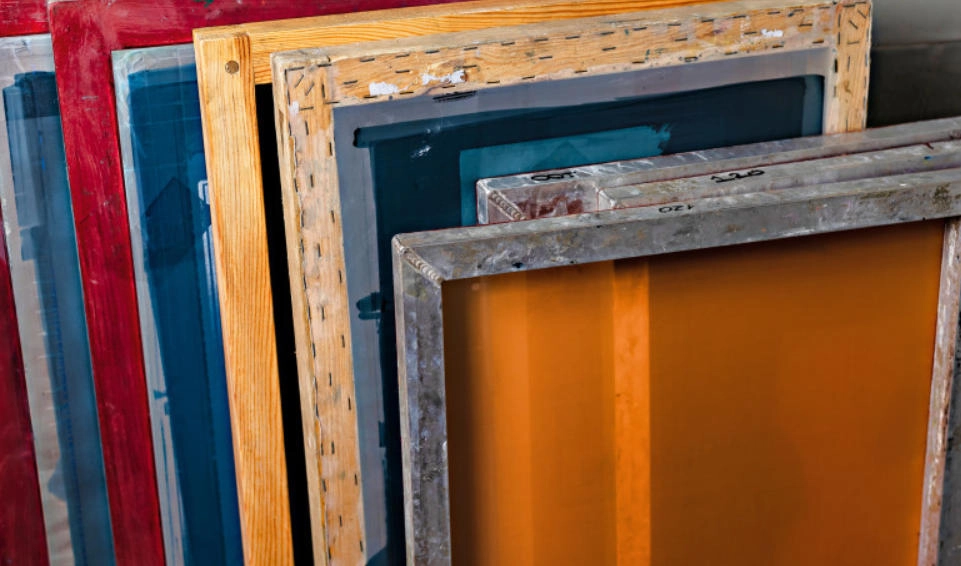
Screens are fundamental to print quality. Each screen consists of a frame and mesh, measured by mesh count—the number of threads per square inch.
Common Mesh Count Applications:
•110 mesh — white ink, bold designs, heavy ink deposit
•156 mesh — versatile, general-purpose printing
•200 mesh — finer detail, water-based inks
•230 mesh — thin lines, detailed artwork
•280 mesh — halftones and fine detail
•305 mesh — CMYK and simulated process printing
Additional considerations include:
•Thin-thread vs. standard-thread mesh
•White vs. yellow mesh
•Aluminum vs. wooden frames
Professional aluminum screens with consistent tension are recommended for long-term use.
More read: Complete Guide to Choose the Right Screen Printing Mesh Size
Screen Printing Ink
The two most common ink systems are plastisol and water-based inks.
•Plastisol inks are beginner-friendly, vibrant, opaque, and easy to cure. They do not dry in the screen, making them ideal for learning and production efficiency.
•Water-based inks offer a softer hand feel but require more experience, careful screen management, and precise curing.
Many shops begin with plastisol and gradually introduce water-based systems as skills develop.
Emulsion Selection
Emulsion coats the screen and forms the stencil.
Two Main Types:
Presensitized Emulsion
•Fast exposure
•Excellent detail
•Extremely light-sensitive
•Not beginner-friendly
Diazo Emulsion
•Longer exposure times
•More forgiving
•Wider margin for error
•Ideal for beginners and general production
Ink type, exposure unit, and washout conditions all influence emulsion choice.
Miscellaneous Essential Supplies
No shop is complete without these supporting tools:
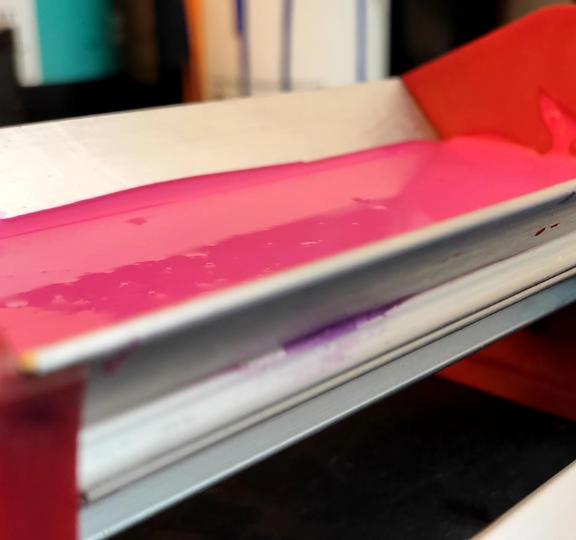
•Scoop coater
•Screen tape
•Ink spatulas
•Platen adhesive
•Digital non-contact thermometer
•Squeegees (various durometers)
•Platen tape
•Scrub brushes
You’ll also need cleaning and reclaiming chemicals for ink removal, emulsion stripping, degreasing, and haze removal. Eco-friendly, non-hazardous chemicals are strongly recommended for safety and sustainability.
Starter Shop Packages
If the checklist feels overwhelming, complete screen printing starter kits are available from professional manufacturers. These packages bundle essential equipment together, saving time and ensuring compatibility.
Starter kits are an excellent option for first-time shops looking for a streamlined setup without guesswork.
Final Thoughts
Building a screen printing shop takes planning, patience, and the right tools—but the payoff is worth it. Focus on mastering the fundamentals, invest in reliable equipment, and upgrade as your business grows.
With the proper setup and workflow, you’ll be well on your way to producing consistent, professional-quality prints. Happy printing!