Screen Printing Mesh Exposure Troubleshooting Guide
Screen Printing Mesh Exposure Troubleshooting Guide
When the Screen Fails Before It Hits the Press
Every printer eventually has the same nightmare: the artwork looks perfect, the film is dense, the screen printing mesh was stretched carefully – and yet the stencil starts breaking down halfway through the job. Letters curl off during washout, halftones disappear, or the emulsion peels away after only a few hundred prints. In most cases, the real cause is not “bad ink” or “cheap emulsion” but a weak exposure and coating process that doesn’t match the mesh you’re using.
Screen printing is a system: mesh, emulsion, light, water, ink, and pressure all interact. If any step in the stencil-making process is slightly off, the failure will show up later on press as ghosting, premature stencil breakdown, or constant pinholes. Understanding how screen printing mesh interacts with emulsion and exposure is the key to turning unreliable screens into stable, predictable tools. This guide walks through the most common exposure and stencil problems printers face with different meshes, and explains how to diagnose and fix them step by step instead of guessing in the dark.
Understanding the Screen–Emulsion–Light System
How Screen Printing Mesh Interacts with Emulsion
The mesh is more than a carrier for emulsion; it is the skeleton of your stencil. Mesh count, thread diameter, and mesh opening control how much emulsion can fill the threads and how thick the final stencil layer can be. A coarse screen printing mesh holds more emulsion and produces a thicker stencil, which is useful for heavy ink deposits. Finer meshes, with smaller openings and thinner threads, naturally result in thinner stencils but also allow sharper edges and better detail.
Monofilament polyester mesh is common because its smooth, uniform threads let emulsion wet and wrap the mesh consistently. If the mesh surface is contaminated with grease, dust, or oils, the emulsion can’t properly anchor to the fibers and will flake or peel. Tension also matters: a well-tensioned mesh keeps the emulsion film flat and even, while a slack screen tends to produce uneven coating thickness and weak spots that will break first under pressure.
The Role of Light and Exposure in Stencil Formation
Once the screen is coated and dried, light does the real work of turning liquid emulsion into a durable stencil. Every emulsion has a sensitivity curve: the light spectrum (usually in the UV range) and energy level it responds to best. LED exposure units, metal halide lamps, and fluorescent tubes all produce different light profiles. If the light source does not match the emulsion chemistry, you can end up with underexposed stencils even when exposure times seem long.
Exposure is not just about hardening the surface. The light must penetrate through the entire emulsion layer, cross-linking the polymer from the squeegee side down to the print side. If only the top cures and the base remains soft, the stencil will look good on the drying rack but crumble during washout or on press. At the same time, too much light eliminates the unexposed image areas and locks down fine detail. Getting the balance right means understanding the thickness of the emulsion on your screen printing mesh and aligning your exposure unit, emulsion type, and exposure time into one controlled process.
Emulsion Not Sticking Well to the Mesh
Typical Symptoms When Emulsion Won’t Stick
When emulsion does not bond properly to the screen printing mesh, the symptoms are hard to miss. During washout, entire sections of the stencil may lift and peel away, leaving ragged shapes or bare mesh. Sometimes the emulsion appears to sit on the surface like a fragile film rather than penetrating and locking onto the threads. Coating becomes a struggle: you apply emulsion on one side and it tears or drags off the other side, producing streaks and thin spots that never look uniform. On press, these screens quickly develop chips around image edges, and small pieces of stencil start breaking away, especially where squeegee pressure is highest.
These problems almost always trace back to poor mesh preparation, wrong emulsion choice, or environmental issues during drying. If you simply re-coat and re-expose without addressing the root cause, the same defects will appear again and again, costing time, ink, and production capacity.
Mesh Preparation: Degreasing and Surface Energy
Clean mesh is non-negotiable. Even a new roll of screen printing mesh usually carries lubricant, dust, or release agents from manufacturing. Fingerprints, tape glue, and ink residue add more contaminants. All of these lower the surface energy of the mesh and prevent emulsion from wetting and bonding. A proper degreasing step uses a dedicated screen degreaser, lukewarm water, and a gentle brush to remove oils without scratching the threads.
After scrubbing both sides, rinse thoroughly until all foam and residue are gone. Any degreaser left on the mesh can create its own repellent layer. Allow screens to dry completely in a clean, dust-free environment before coating. If you see water beading on the mesh instead of forming a uniform sheet during rinsing, the surface is still contaminated. Only when water sheets evenly and drains cleanly can you expect emulsion to adhere reliably and form a strong mechanical bond to the mesh.
Environmental Factors: Humidity, Dust and Drying
Even with perfect degreasing, environmental conditions can sabotage emulsion adhesion. High humidity slows drying and can leave moisture trapped inside the emulsion layer, weakening the bond to the mesh. Low humidity combined with hot air can dry the surface too quickly while the inner layer stays soft, creating internal stress that later causes cracking and peeling. Dust in the drying room settles on the tacky emulsion, creating tiny unbonded spots that become pinholes or weak edges under pressure.
To minimize these risks, treat your drying area like a light-safe, climate-controlled room. Aim for moderate temperature and relative humidity, with gentle air circulation that moves moist air away without blowing dust onto the screens. Place screens horizontally with the print side down when possible so dust falls on the squeegee side, not into the image area. Allow enough drying time so the emulsion is fully dry, not just “touch dry,” before exposure. Rushing this step is a common shortcut that leads to short stencil life on press.
Matching Emulsion Type to Mesh and Ink
Not every emulsion works well on every screen printing mesh or with every ink system. Some emulsions are optimized for water-based inks and cross-link to resist long contact with moisture, while others are designed for strong resistance to solvents or plastisol washups. High solids dual-cure emulsions tend to build thicker layers and bond strongly, which is useful on coarser meshes and heavy-ink applications. Pure photopolymer emulsions expose very quickly but can be more demanding in terms of exposure accuracy and drying control.
If you constantly fight adhesion problems with a specific combination of mesh count and ink, consider whether the emulsion formula is well suited to your process. Choosing an emulsion with the right resistance profile and viscosity for your mesh range can immediately reduce peeling, softening, and premature stencil breakdown. Instead of pushing a single emulsion to do everything, it is often better to standardize one product for textiles and another for more aggressive industrial or solvent-based work.
Choosing the Right Emulsion for Different Mesh Counts
High Mesh Counts: Fine Detail and Thin Stencils
High mesh counts are used when you want detail and control rather than raw ink volume. The mesh openings are smaller, and the threads may be thinner, so there is simply less space for emulsion to occupy. If you apply a very thick, heavy emulsion to a high mesh count screen, it can flood the openings, blur edges, and trap air, making exposure and washout unpredictable. For fine halftones, small type, and detailed line work, you want a smooth, thin, well-controlled stencil.
On high mesh screens, choose an emulsion with suitable viscosity and solids content so it levels nicely without forming a lumpy or overly thick layer. Your goal is to coat just enough emulsion to wrap the threads, fill the mesh, and leave a thin, even stencil on top. The thinner profile allows light to penetrate more uniformly during exposure, which helps preserve delicate shapes and ensures the stencil hardens fully through to the print side.
Low Mesh Counts: Heavy Ink Deposits and Robust Stencils
Low mesh counts are chosen when you need ink volume—underbase white on dark garments, blocky spot colors, high-density effects, or specialty inks with large pigment particles. These screens have larger openings and often thicker threads, so they naturally hold more emulsion and build thicker stencils. This is an advantage: a robust stencil can handle heavy squeegee pressure and severe mechanical stress during long runs.
Here, an emulsion with higher solids content and the ability to build film thickness is useful. You may coat multiple times on the print side to increase stencil height, creating a deeper “well” for ink. While the thicker stencil does require more exposure energy to harden through, it also better protects against abrasion and reduces the risk of pinholes or premature breakdown when printing aggressive inks. The trick is to balance thickness with exposure: enough emulsion for coverage and durability, but not so much that you lose detail or struggle to wash out the image areas.
Dual-Cure vs Pure Photopolymer vs Diazo
Each emulsion family brings its own strengths. Dual-cure emulsions combine diazo and photopolymer chemistry, offering wide exposure latitude, strong adhesion, and excellent resistance to water-based or aggressive inks. They tend to expose more slowly but are forgiving when your exposure time is not perfect. Pure photopolymer emulsions expose very fast and are great for high-throughput production with consistent exposure units, but they typically demand stricter control over time, light output, and drying.
Traditional diazo emulsions are robust and economical, though slower to expose and sometimes more sensitive to storage and mixing. When paired thoughtfully with your mesh counts and ink systems, each type can perform well. For shops that run a mix of textile and solvent-based work, it’s common to keep a dual-cure emulsion for demanding applications and a fast photopolymer for everyday screens, adjusting mesh count and coating strategy to get the best from each product.
More read: Complete Guide to Choose the Right Screen Printing Mesh Size
Emulsion Coating Techniques for High vs Low Mesh Screens
Coating Both Sides Correctly: Print Side vs Squeegee Side
The way you coat emulsion on the mesh has as much impact as the emulsion itself. The print side is the face that contacts the substrate; the squeegee side faces the squeegee during printing and is where most mechanical stress occurs. How many coats you apply to each side and in what order defines stencil thickness, edge sharpness, and how well the stencil will survive on press.
For many textile applications, a typical approach is one or two coats on the print side and one or two on the squeegee side, always drying between passes if you need more thickness. The print side should be smooth and level so ink releases cleanly; the squeegee side must be robust enough to handle repeated contact without breaking down. Changing the sequence—such as finishing with a coat on the print side for sharper contact—or modifying the number of passes allows you to customize stencil behavior for coarse underbases, fine detail prints, or specialty inks.
Adjusting Scoop Coater Angle and Pressure
The scoop coater is a simple tool that controls a critical process. Holding it nearly vertical applies a thin layer, while tilting it more heavily toward the mesh deposits a thicker coat. Excessive pressure can scrape emulsion out of the mesh and leave an uneven film; too light pressure may leave streaks or air bubbles. Your goal is a consistent, smooth coating that fills each mesh opening without trapping air or leaving bare spots.
On higher mesh counts, a slightly steeper angle with lighter pressure often works best to glide emulsion across the surface without overfilling. On coarse meshes, a more tilted angle and a firmer pass can help build the film thickness needed for heavy ink deposits. Developing a repeatable motion, consistent speed, and always using a clean, undamaged scoop coater edge will do more for stencil quality than constantly changing products.
Coating Strategies for High Mesh Counts
With high mesh counts, less is usually more. One or two well-executed coats on each side are often enough to create a thin, precise stencil. Over-coating can cause emulsion to bridge and blur fine details or require so much exposure that softer image areas never wash out cleanly. Always orient screens in a way that encourages even drainage and drying; gravity will influence how emulsion settles and levels as it dries.
A common strategy for detail work is to apply one coat on the print side and one or two on the squeegee side, finishing with the squeegee side to create a slightly raised surface that stands up to printing while leaving the print side lean and close to the mesh threads. After drying, you should see a uniform, satin finish with no dull patches, drips, or ridges. If you notice uneven shine or visible streaks, revisit your coating technique before blaming the emulsion or mesh.
Coating Strategies for Low Mesh Counts
Low mesh screens can tolerate and often demand more emulsion. For underbase whites and heavy spot colors, you might apply multiple coats on both sides, finishing on the print side to support a high ink deposit. The thicker stencil helps push ink down into the substrate and cover fibers or surface texture. However, each additional coat adds more material that must be fully exposed and dried, so you cannot simply pile on emulsion without adjusting exposure energy.
When building thick stencils, apply coats in stages and allow each side to level slightly before flipping or re-coating. Watch for drips and pools that indicate you are applying too much emulsion in one pass. On very coarse screen printing mesh, an uneven stencil is easy to spot and will show up as inconsistent coverage or strange texture in the print. Careful, patient coating followed by complete drying will yield robust, long-lasting stencils that can handle the pressure and abrasion of demanding jobs.
Exposure Problems: From Underexposure to Overexposure
Recognizing Underexposed Screens
Underexposure is the most common cause of stencil failure. During washout, image areas that should open may partially dissolve, but so do fine lines and halftones, leaving softened shapes and missing dots. The stencil may feel slimy or rubbery instead of hard and glassy. On press, you’ll see stencil edges fraying, small chips appearing in solid areas, and details gradually disappearing as the run goes on. Stencils that look fine during setup can collapse after a few hundred prints because the emulsion never fully cured through its thickness.
One giveaway sign is how easily the stencil scratches or softens when touched with a fingernail or a rag soaked in ink cleaner. If a light rub removes emulsion that should be solid, exposure was too weak. Underexposure is especially dangerous because it can mimic many other issues, leading printers to chase the wrong variables—changing ink, mesh, or squeegee settings instead of increasing exposure or correcting the light source.
Recognizing Overexposed Screens
Overexposure produces a different set of headaches. When screens are exposed for too long or with too much intensity, light penetrates beyond the intended stencil areas and begins to harden emulsion in the image zones. During washout, fine details refuse to open, small dots either stay closed or wash out with ragged edges, and complex halftones appear plugged. You may spray aggressively with water and see little change, or end up damaging nearby areas while trying to clear the blocked spots.
Overexposed stencils often seem rock-hard and can resist reclaiming more than usual. While they may survive long runs on press, they do so at the cost of lost detail and shadow information. On high mesh screens or yellow mesh, where light behaves differently, exposure times that worked for a coarse white mesh can easily lead to overexposure. If you constantly fight plugged details or blind screens, it’s a sign that you should step back and test exposure with a more systematic method rather than guessing.
Mesh Count vs Exposure Time
Mesh count influences exposure in more than one way. Finer meshes hold thinner emulsion layers and can allow light to penetrate more easily, but they also scatter light differently, especially on white mesh. Coarser meshes support thicker stencils that need more energy to cure all the way to the print side. Because of these variables, you cannot apply a single “universal” exposure time to every combination of screen printing mesh, emulsion, and color.
A practical approach is to run exposure tests whenever you change any major element in the system. Use a step wedge or test strip with gradients of density, place it on the coated screen, and expose in increments. After washout, examine which steps open cleanly, which details hold, and where the stencil begins to wash away. Record the exposure that gives solid, durable solids and sharp details without plugging. Build a chart for each mesh range and emulsion you use so you can adjust exposure confidently instead of guessing each time.
Fine Details Washing Out During Exposure and Washout
Why Tiny Lines and Halftones Disappear
Losing fine details is one of the most frustrating problems in screen printing, especially when the source artwork and film positive look perfect. Fine lines and halftone dots can disappear for several reasons: the emulsion may be too thick and soft before exposure, the film may not be dense enough, or the exposure conditions may cause light to creep under the dark areas and partially harden them. This “light undercutting” eats away at small shapes long before larger areas are affected.
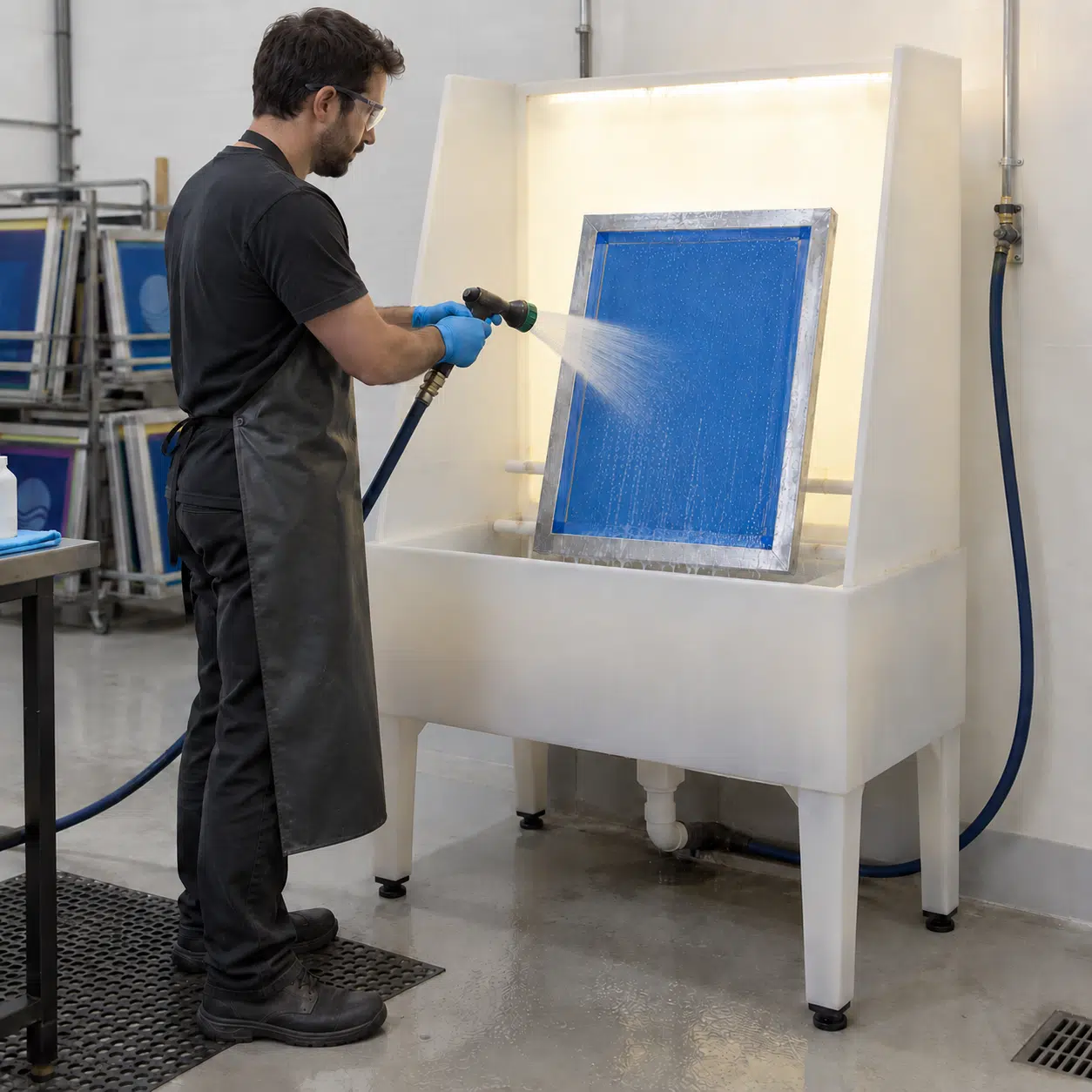
During washout, high water pressure can further damage delicate stencils, especially when they’re already underexposed or unevenly coated. You might see thin lines that start to open and then suddenly blast away, leaving broken paths instead of crisp strokes. If washout water is too hot, it can soften weakly exposed emulsion and accelerate the loss of detail. The result is a screen that technically carries the design but misses all the fine structure that gives prints depth and character.
Screen Quality and Artwork Preparation
To protect fine detail, start by matching your screen printing mesh to the resolution you actually need. High mesh counts with proper, even tension create a stable surface where tiny lines and halftones can survive exposure, washout, and printing. A loose screen behaves like a trampoline under water pressure and squeegee force, causing micro-movement that tears fragile stencil bridges. If you try to push very high-resolution artwork through a low-tension, low-mesh screen, the stencil is almost guaranteed to fail.
Artwork and film output matter just as much. If the film positive is not truly opaque in the dark areas, light leaks through and partially exposes the emulsion that should stay soft. Low-resolution inkjet output, banding, or poor RIP settings can also distort dots and lines before they ever reach the screen. Always check that your films have rich, even density in the black areas and crisp edges under magnification. For demanding halftone work, use proper halftone angles and line screen values that your mesh count can realistically hold. Pushing beyond the physical capability of the mesh–emulsion system is a common reason details wash out, even when the rest of your process looks fine.
Washout Technique: Water Pressure, Angle and Time
Washout is not just “spray until you see the image.” If water pressure is too high or the nozzle is too close, it can literally blast soft or thin areas out of the stencil, especially on high mesh counts and delicate halftones. Start with a gentle spray on both sides of the screen to rehydrate the emulsion. Let water soak in for a short time so unexposed areas soften, then gradually increase pressure and work from the print side to the squeegee side at a moderate distance.
Keep the spray moving rather than concentrating on one spot for too long. Use just enough pressure to open the image without scouring hardened areas. Water that is too warm can accelerate swelling of underexposed emulsion, making it easier to lose detail. Cooler water provides a bit more control but may require slightly longer washout times. If you constantly damage fine details during washout, try reducing pressure, increasing exposure slightly, and giving the screen more time to soak before you hit it with a stronger spray. Small changes here can dramatically improve how well your stencils hold detail.
Stencil Breaking Down During Printing
Mechanical Stress: Squeegee Pressure and Off-Contact
Once a screen reaches the press, mechanical stress becomes the main threat to stencil life. Excessive squeegee pressure or a very low angle can act like a plow scraping across the stencil, especially on the squeegee side. Over time, this constant force creates micro-cracks and chips in the emulsion, starting in fine lines and small islands and eventually spreading into larger breaks. Too much off-contact distance makes the mesh snap down and peel away with each stroke, multiplying the stress on both the mesh and the stencil.
Properly tensioned mesh and a correctly set off-contact gap allow the screen to kiss the substrate and release cleanly without dragging the stencil. Use the minimum squeegee pressure necessary to clear the image area. If you feel you must push very hard to g et ink through, the real problem may be ink viscosity, mesh count, or stencil thickness, not pressure. Adjust those variables first before cranking up squeegee force. A stable, well-set press with controlled mechanics is one of the simplest ways to extend stencil life and keep breakdown from appearing mid-run.
Chemical Attack: Inks, Solvents and Screen Openers
Chemistry is the second major stress factor. Solvent-based inks, aggressive screen openers, and harsh press wipes can gradually dissolve or weaken emulsion, especially if it was underexposed or not fully dried. Water-based inks can also attack the stencil if they sit on the screen for long periods between prints, slowly softening thin areas. If you notice screens that seem fine at the start but begin to swell, crack, or break down after repeated cleaning during a run, chemical attack is likely involved.
Choose emulsions formulated for the inks you use most often. A product rated for high water resistance is important for shops that print long runs with water-based or discharge inks; strong solvent resistance is essential for some industrial and graphic applications. On press, use screen openers and cleaners sparingly and avoid soaking the screen unnecessarily. Wipe gently and let chemicals work for a short time instead of scrubbing aggressively. The better your exposure and drying, the more chemical abuse a stencil can tolerate—but matching emulsion and cleaning habits to your ink systems is still critical.
Underexposed Stencils and Poor Drying
Many “mystery” breakdowns are really just delayed symptoms of underexposure or incomplete drying. If emulsion contained too much moisture during exposure, light cannot fully cross-link the polymer network, leaving weak, gummy areas inside the stencil. These may survive initial washout and even the first part of a production run, but repeated contact with ink, solvents, and squeegee pressure slowly tears them apart from the inside. The stencil then starts to crumble or develop fish-eye-shaped breaks around solid areas and text.
To prevent this, treat drying and exposure as non-negotiable quality steps. Confirm that coated screens are bone-dry before exposure—both surfaces should feel cool and dry, with no tackiness or darker patches. When you test exposure, don’t just look at whether the image appears; test how resistant the hardened emulsion is to water and cleaners. A properly exposed stencil should feel hard and resist light rubbing even when wet. If your stencils consistently soften during printing, assume underexposure or poor drying until proven otherwise and recalibrate your process from there.
Mesh Color (White vs Yellow) and Exposure Time
Why Yellow Mesh Exists
At first glance, yellow mesh might look like a cosmetic choice, but it serves a real optical purpose. White screen printing mesh scatters light more because the bright threads reflect and refract exposure light in many directions. This scattering softens the “edge” of the light hitting the emulsion, which can cause fine details to blur or undercut. Yellow or dyed mesh absorbs some of that stray light and reduces internal scattering, allowing the edges of your image on the stencil to stay sharper.
For high-resolution work—fine text, halftones, small registration marks—yellow mesh can significantly improve edge definition, especially when combined with high mesh counts and precise exposure control. It does not magically increase resolution by itself, but it creates a cleaner optical environment where light travels more predictably through the emulsion layer. That’s why many shops reserve yellow mesh for their most demanding jobs while using white mesh for coarser, less critical work.
How Mesh Color Affects Exposure Time
Because yellow mesh reduces light scattering and absorbs more of certain wavelengths, it also changes how much light reaches the emulsion. Compared to white mesh, yellow mesh typically requires a longer exposure time to deliver the same amount of energy through the stencil. If you simply switch from white to yellow without adjusting exposure, you are likely to underexpose the stencil, leading to soft, weak emulsion and lost detail during washout.
The exact difference depends on your light source, emulsion, and mesh count, so there is no single “multiply by X” rule that fits everyone. The safest approach is to run a new exposure test whenever you change mesh color. Use the same coated screen, expose test strips at different times, and note which strip gives the best combination of solid areas, open details, and stencil hardness. With a little documentation, you can build a reference chart that lists separate exposure times for white and yellow mesh at each mesh count you commonly use.
When to Choose White Mesh vs Yellow Mesh
White mesh is perfectly adequate for many everyday tasks: bold spot colors, simple graphics, block lettering, and underbases where extreme resolution is not required. It tends to be slightly less expensive and more widely available, making it a practical default choice for basic garment and poster work. If your prints do not rely heavily on tiny details, the optical advantages of yellow mesh may not justify the extra cost.
Yellow mesh, on the other hand, becomes a powerful tool when you are chasing sharp halftones, fine lines, and high-definition artwork. Use it for photographic prints, delicate gradients, and precise registration work where any softening or undercutting would be obvious. In many shops, a mixed strategy works best: white mesh for coarse and mid-range jobs, yellow mesh for high-resolution or critical work. This way, you get the benefits of both without overspending or overcomplicating inventory.
Practical Exposure Workflow and Test Methods
Building an Exposure Test Routine
A consistent exposure test routine removes guesswork from stencil making. Instead of randomly tweaking times when something goes wrong, you systematically map how your emulsion responds to your light source on specific screen printing mesh counts. Start by coating a screen as you normally would, then cover strips of the image area with an opaque card or step wedge in timed intervals. For example, expose one section for 30 seconds, the next for 40, then 50, and so on.
After washout, inspect each section. Look for the first exposure that gives fully solid, durable non-image areas and still opens fine detail cleanly. Mark that as your baseline time for that emulsion–mesh–light combination. Repeat this test for different mesh ranges and for both white and yellow mesh where relevant. Over time, you will build a library of proven settings that make new screens much more predictable. When you later change bulbs, switch emulsions, or adjust coating thickness, repeat the tests to keep your data current.
Standardizing Drying and Storage Before Exposure
Even the best exposure settings can fail if drying and storage are inconsistent. Make your drying area light-safe, dust-controlled, and as consistent in temperature and humidity as you can manage. Use racks that allow air to circulate around the screens and avoid stacking them flat in piles where moisture gets trapped between layers. Always dry coated screens print side down when possible, so gravity draws emulsion toward the print surface and dust falls on the back.
Set a minimum drying time and stick to it instead of guessing based on touch alone. If you work in a humid climate, consider using a dehumidifier or gentle heated air to bring conditions into a stable range. Once dry, store screens upright or in racks away from ink, solvents, and temperature swings. Label them with coating date, emulsion type, and mesh count so you can trace any problems back to specific process variables later.
Documenting and Troubleshooting with a Checklist
A simple checklist turns stencil troubleshooting into a structured process rather than trial and error. For each screen, record mesh count and color, tension, emulsion type, coating sequence, drying conditions, exposure time, and washout method. When a problem appears—peeling edges, lost detail, early breakdown—you can review the data and spot patterns: perhaps all failures share the same shortened drying time, or they all use a new cleaner or mesh brand.
When changing something to fix a problem, alter one variable at a time and document the result. Increase exposure by a set percentage, adjust washout pressure, or tweak coating passes—but not all three at once. Over time, your checklist and notes become a shop-specific manual that reflects your real equipment, mesh, inks, and climate. New staff can learn faster, and repeatability improves because everyone follows the same proven steps rather than relying on guesswork or memory.
FAQ: Real-World Exposure and Stencil Questions
• Why does my emulsion always peel off at the image edge?
Edges are high-stress zones where squeegee pressure and ink flow concentrate. If mesh is not properly degreased, emulsion is underexposed, or drying was incomplete, adhesion is weakest exactly where stress is highest, so peeling starts there first.
• How do I set a starting exposure time for a new emulsion on high mesh screens?
Run a step-wedge test on a typical high-mesh screen, exposing sections at increasing times. Choose the time that gives fully hardened solids and clean fine detail, then use that as your starting point for production.
• Can I use the same exposure time for white mesh and yellow mesh?
Usually no. Yellow mesh requires longer exposure because it absorbs and scatters light differently. Always test and record separate times for each mesh color, even at the same mesh count.
• How thick should my stencil be for underbase white on dark shirts?
You want enough stencil height to deposit a solid, opaque layer that covers fabric fibers without feeling like armor. This usually means using a lower mesh count with multiple coats of emulsion, but the exact thickness depends on your ink and garment. Test a few coating combinations and measure coverage and hand feel.
• What is the best way to test if my stencil is fully exposed before going to press?
After washout and drying, gently rub a small non-image area with a wet rag and a little cleaner. If the emulsion softens, smears, or scratches easily, exposure was too low. A properly cured stencil should feel hard, resist light rubbing, and show no swelling or tackiness when wet.