Wasserfeste Inkjet-Folie für den Siebdruck: Einkaufsratgeber
Wasserfeste Inkjet-Folie für den Siebdruck: Einkaufsratgeber
Choose waterproof inkjet film for screen printing by matching its coating to your printer and ink, then checking UV blocking, detail, drying, and registration. Select thickness and format for reliable handling. Approve the material with an exposure test before placing a bulk order.
A sheet can look clear, produce a dark image, and still cause trouble at exposure. The useful question is whether the complete film-output process gives your screen room a repeatable result.
What Does a Film Positive Actually Do?
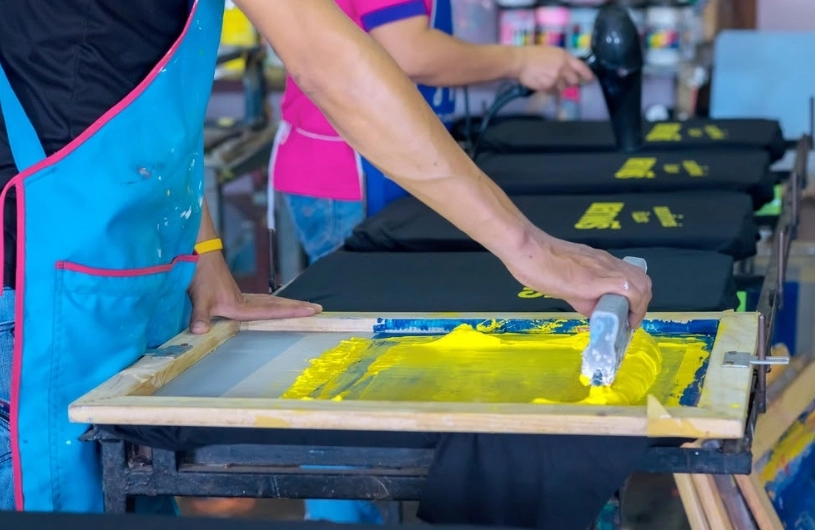
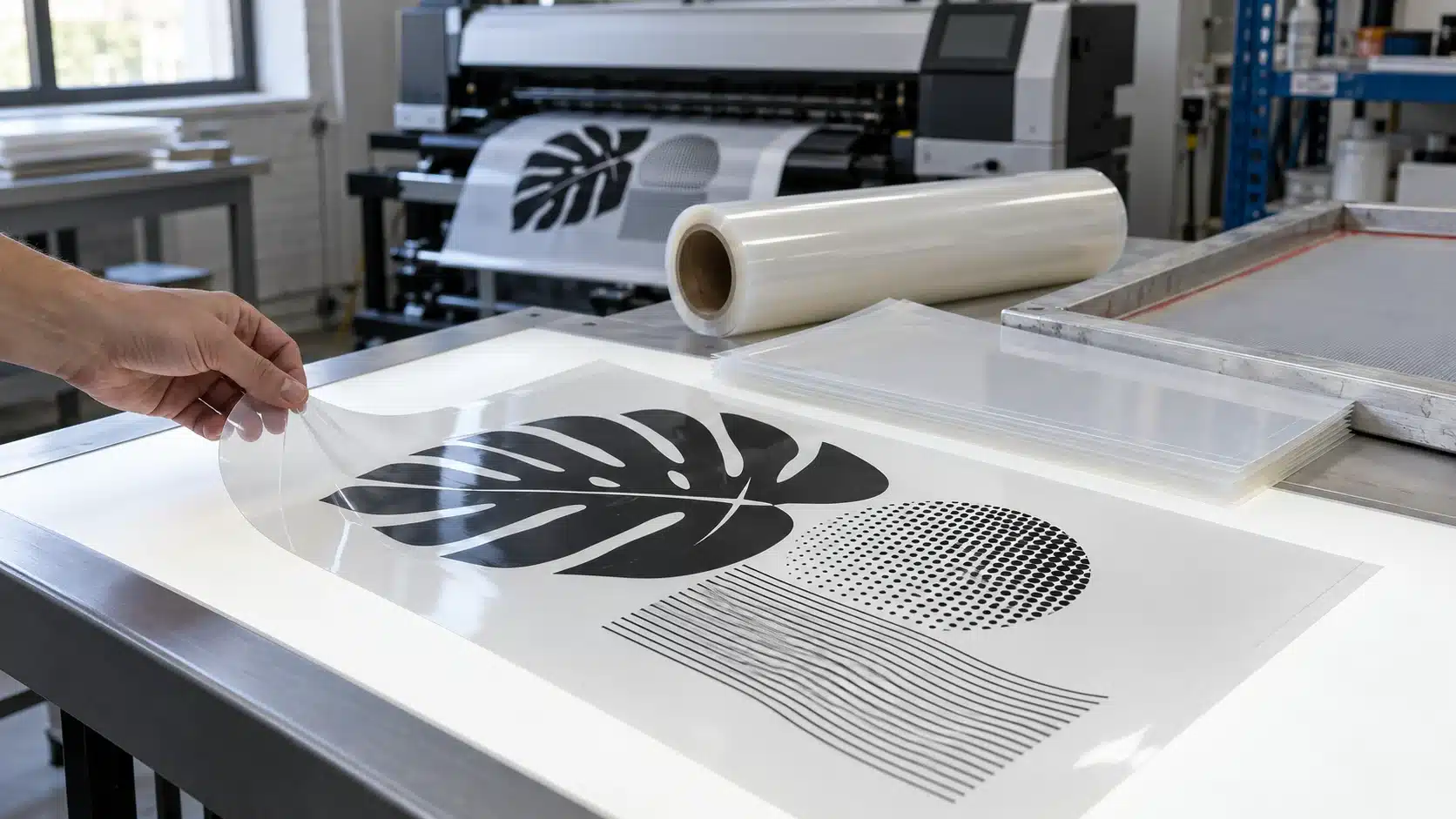
A film positive carries the artwork used to expose a photosensitive screen stencil. Its unprinted areas allow exposing light to reach the emulsion. The printed image blocks that light so the image area can wash open during development. The resulting stencil controls where printing ink passes through the mesh.
For a multicolor job, each separation needs an accurately sized positive with matching registration marks. A distorted separation can create an alignment problem before the screen reaches the press.
The film is a screen-making tool. It does not become part of the garment, label, or sign. Its water resistance therefore tells you nothing about the durability of the finished print.
Types of Screen Printing Film and What the Labels Mean
Product descriptions often mix several different characteristics. PET describes the base material. Microporous describes an ink-receptive coating. Milky describes appearance. High resolution describes a claimed output capability. One product can carry all four descriptions.
| Label | Was es beschreibt | Was zu überprüfen ist |
|---|---|---|
| PET or polyester | The film substrate | Finished thickness, flatness, feeding, and dimensional consistency |
| Microporous or nanoporous | The structure of the ink-receptive coating | Compatibility with the actual ink and intended ink deposit |
| Clear, milky, or matte | Appearance or surface finish | Unprinted-area UV transmission and exposure contact |
| Wasserdicht oder wasserabweisend | A supplier’s description of moisture-related performance | Test method, drying conditions, and whether the claim covers the printed image |
The coating must receive the selected ink and keep the printed image intact during normal handling. An ink-receptive surface can still respond to moisture. Water resistance therefore needs a product-specific definition: resistance to smearing after drying is different from resistance to immersion.
Praktische Auswirkungen: do not assume a printed positive can be soaked, wiped with a wet cloth, or exposed to condensation because the pack says “waterproof.” Ask what was tested, with which ink, and after what drying period.
Milky Waterproof Inkjet Film
A slightly milky appearance is a product characteristic, not a quality ranking. Assess how the printed image blocks exposing light and how the unprinted areas transmit it. A sheet that looks less clear can still be a useful positive; approve it through the complete exposure process.
Clear Film for Aqueous Inkjet Output
Clear film still needs a compatible ink-receptive surface. Check whether the selected grade accepts dye ink, pigment ink, or both. Here, “aqueous” refers to the printer ink. The ink used later on the printing press is a separate part of the workflow.
Matte or Structured-Surface Film
A matte finish describes the surface, not the intended application. Confirm that the product is suitable for film positives rather than assuming any matte drafting or display film will work. Check image sharpness, surface condition, and contact with the stencil during exposure.
Eco-Solvent and Laser Alternatives
These belong to different output systems. An eco-solvent grade needs a compatible inkjet setup, while laser film must be approved for toner output and the printer’s fusing conditions. Choose by the installed printing technology; neither category is a universal upgrade for an aqueous inkjet workflow.
Match the Evaluation to the Work You Print
Choose test artwork that reflects your production. A simple logo and a fine halftone separation can expose different weaknesses.
- One-color garment work: check solid image coverage, readable text, clean edges, and predictable handling.
- Multicolor garments: add registration marks and dimensional measurements across the entire separation set.
- Halftones and detailed graphics: check the smallest dots, narrow gaps, and reversed details required by the job.
- Large-format signs or industrial graphics: include long-distance scale checks, transport accuracy, and full-area exposure contact.
These are suggested evaluation priorities. Set acceptance limits from your artwork and production requirements rather than assuming that every film must pass the same maximum line ruling.
Practical Limits to Understand before Choosing a Film
Purpose-made media can support reliable output, but its performance still depends on the way it is printed, handled, and exposed.
Water Resistance Does Not Remove the Need for Drying
A moisture-resistant printed image still needs to reach a suitable handling state. Heavy ink coverage and humid conditions can extend drying. Check the time needed before stacking and exposure rather than treating a “fast dry” description as a fixed production interval.
The Film Cannot Correct Every Screen-Making Fault
Incomplete screen drying, poor exposure contact, unsuitable artwork, or incorrect exposure can spoil a good positive. If fine detail will only wash out after reducing exposure enough to weaken the stencil, investigate image blocking and the screen-making process together.
Higher Specifications Can Add Cost without Improving the Job
A thicker film, larger sheet, or heavier ink deposit should solve a defined production need. Compare the required detail, feed reliability, layout waste, and approved output. Extra material or ink is useful only when it produces a measurable benefit.
Sieben Spezifikationen, die Sie vor dem Kauf überprüfen sollten.
1. Exact Printer, Ink, and Software Compatibility
Start with the printer model, installed ink, output software, and media path. A broad claim such as “suitable for inkjet printers” is not a complete compatibility specification.
Ask for the recommended ink family and output settings for the exact grade. Two films with similar appearance or thickness can require different profiles. Compatibility belongs to the complete printer–ink–film combination.
Neither dye nor pigment is automatically the better choice. Test the installed ink for image blocking, detail, drying, and handling. A successful result with one formulation does not establish compatibility with every ink in the same general family.
2. UV Blocking in the Image and Transmission through the Base
The image needs sufficient blocking at the exposing wavelengths. The unprinted film must also transmit enough useful light to expose the surrounding stencil.
Dmax describes the density of the darkest image area; Min describes the unprinted or minimum-density area. Ask whether the reported values are UV measurements or visible-light measurements, and which instrument response was used.
Optical density is logarithmic. At the measured wavelength, density 3 corresponds to 0.1% transmission, while density 4 corresponds to 0.01%. Those figures do not establish performance at every UV wavelength.
Treat a published density number as a result obtained under stated conditions. Request the ink, print profile, instrument mode, and test method. An unqualified Dmax value is not a universal guarantee for a different printer or exposure unit.
For incoming inspection, compare with an approved reference positive. If you have suitable measurement equipment, record image and base readings consistently. Confirm the result on the exposure unit that will make the production screens.
3. Edge Definition and Halftone Reproduction
A high printer DPI setting does not by itself prove that a small halftone dot will survive screen making. Printer resolution, halftone ruling, ink spread, mesh, and stencil reproduction are different parts of the process.
Inspect both positive and reversed features: a thin black line may look acceptable while a narrow clear gap has already filled in. Test fine text, isolated dots, and closely spaced marks.
For tonal work, check whether the raster image processor (RIP) needs calibration or linearization. Excessive ink deposit can widen dots and lines, slow drying, and fill small gaps. Set ink delivery for adequate blocking while retaining the features the stencil must reproduce.
4. Drying and Handling under Shop Conditions
Record when the positive can be moved, stacked, positioned, and exposed without image transfer. Those handling stages can have different requirements.
Humidity can slow drying and contribute to sticking. Include your normal shop environment in a trial, particularly if the output area is close to a washout booth or another moisture source. Record temperature and humidity alongside the handling result.
Judge the actual time to safe handling. A fast-drying claim does not justify putting a damp positive against the stencil.
5. Thickness and Reliable Feeding
Check whether a quoted thickness refers to the base or the finished coated film. For unit comparison, 1 mil equals 25.4 μm, so 5 mil equals 127 μm. Similar-looking numbers in different units should not be treated as identical specifications.
A thicker sheet is not automatically a better match. Check the printer’s accepted media thickness and feed path, then test flatness, loading, and exposure contact.
For shops qualifying a 13″ × 19″ inkjet format, HANZE’s film specification provides a useful comparison point: PET construction, one coated printing side, 100, 120, and 140 μm thickness options, and dye/pigment ink compatibility. Select a sample that fits the printer’s media requirements, then compare feeding, flatness, drying, and exposure results.
6. Usable Sheet Size or Roll Format
Size the film around the image, registration marks, and positioning space. Check the printer’s usable image area as well as its maximum media width.
| Format reference | Nennabmessungen | Einkaufscheck |
|---|---|---|
| A4 Blatt | 210 × 297 mm | Small artwork and handling margins |
| A3 Blatt | 297 × 420 mm | Image area after printer margins |
| 13″ × 19″ sheet | 330.2 × 482.6 mm | Exact cut size and supported feed path |
| 17″ × 100 ft roll | 431.8 mm × 30.48 m | Roll support, core, winding, and printable width |
| 24″ × 100 ft roll | 609.6 mm × 30.48 m | Transport accuracy and large-image layout |
The dimensions above are format references, not a guarantee of available stock. Avoid choosing solely by a label such as “A3+”; obtain the actual width and length.
HANZEs inkjet transparency film range provides a practical starting point for comparing sheet and roll requirements. Its listings include A4, A3, A3+, and 13″ × 19″ sheets, alongside a 24-inch product. Match the selected SKU to the printer and layout before ordering.
7. Flatness and Registration Consistency
Include a measured rectangle and registration marks in the sample file. Compare width, length, diagonals, and alignment between separations after drying.
If dimensions drift, investigate media condition, printer feed, output scaling, and room conditions. Confirm that the software prints at the intended scale and follow the equipment’s media-feed calibration procedure where applicable. Repeat the measurement across a separation set.
Print and Expose the Positive with a Repeatable Setup
Follow the instructions for the selected film, ink, and equipment. Use this sequence to organize the work:
- Identify the coated side. Use the supplier’s packaging or identification method, then confirm the printer’s feed orientation. Keep fingerprints and moisture away from the image area.
- Check printer condition. Run the appropriate nozzle check before judging density or detail.
- Prepare the separation. Confirm artwork size, registration marks, screening settings, and orientation.
- Use a documented output profile. Start with the recommended media and ink settings. Save the approved configuration rather than recreating it from memory.
- Allow complete drying. Inspect a sacrificial test area before stacking or exposing. A damp image can transfer or become damaged when it contacts another surface.
- Establish close exposure contact. Place the image-bearing side against the stencil surface in the normal contact-exposure arrangement. Check the vacuum or contact system across the whole image.
- Validate the exposure. Develop and inspect a test screen before releasing a new film combination into production.
Close positive-to-stencil contact helps preserve fine detail. A dense image does not compensate for a gap that allows light to reach beneath the image edges. Check contact across the entire design, especially on larger positives.
How to Compare Film Samples before a Bulk Order
Approve the finished workflow rather than an unprinted sample. The following is a proposed purchasing test, not a report of measured product performance.
Build One Representative Test File
Include a large solid patch, fine lines, reversed gaps, small text, registration marks, and a measured rectangle. Add a tonal target if you print halftones. Use the smallest features and largest image area your actual orders require.
Separate the Baseline Comparison from Optimization
For compatible candidates, first record results under a common baseline. Then allow each film its supplier-recommended settings and record those changes. This shows both the ease of substitution and the best validated result each candidate can deliver.
Keep the screen-making variables controlled: mesh, coating procedure, drying, exposure equipment, contact, and development. Identify every positive by film lot, ink, profile, and print date.
| Einblick in das | Was aufgezeichnet werden soll | Set the approval rule from |
|---|---|---|
| Image and base density | Instrument mode, readings, and variation across the film | The validated exposure process and approved reference |
| Detail | Smallest required line, gap, text, and dot reproduced | Production artwork requirements |
| Handhabung | Time until safe movement, stacking, and exposure | The screen room’s working sequence |
| Abmessungen | Measured image size and separation alignment | Job registration tolerances |
| Bildschirmergebnis | Image opening, edge quality, and stencil condition | The approved screen-making standard |
| Reproduzierbarkeit | Results across repeated output and, when available, another lot | The consistency needed for repeat orders |
Use a suitable exposure calculator or step test as part of approval. Evaluate detail reproduction and stencil exposure together: a design that washes open is only useful if the surrounding stencil also meets the production standard. Keep the developed test screen or a documented result.
Keep the approved positive, a screen-result photograph, and the settings record. Those references make the next delivery easier to assess than a note saying “sample looked good.”
Common Film Problems and What to Check First
Treat the symptoms below as starting points. Change one variable at a time and keep the original settings record.
| Aufgabenstellung: | Erste Überprüfungen | Nächste Aktion |
|---|---|---|
| Ink beads or smears | Printing side, coating/ink match, ink load, and drying | Confirm loading and run a small test with the recommended settings |
| Streaks or light bands | Nozzle condition and printer maintenance status | Follow the printer’s diagnostic routine before changing film |
| Fine details will not open | Detail on the positive, exposure, density, and contact | Inspect the film under magnification, then run a controlled exposure test |
| Positive sticks to the stencil | Film drying, screen drying, room conditions, and product compatibility | Establish a fully dried, approved contact setup |
| Separations do not align | File scale, feed calibration, film condition, and output orientation | Measure a calibration target and repeat the separation set |
| Unexpected pinholes or marks | Dust, scratches, film image defects, and stencil preparation | Inspect the positive, exposure glass, and prepared screen separately |
For stencil defects, inspect screen preparation as well as film output. Contamination, exposure, drying, and contact can produce similar-looking symptoms. Check each stage separately before deciding which material or setting needs to change.
Compare Cost per Approved Film Positive
A lower pack price is useful only if the material produces enough usable output. Compare candidates over equivalent artwork or an agreed production mix.
Cost per approved positive = (landed film consumed + ink consumed + allocated output labor + film-output correction costs) ÷ approved positives produced
Include rejected sheets and roll waste in film consumption. Record layout waste, loading failures, drying-related damage, output time, and reprints. Allocate reusable or shared resources consistently.
Avoid counting the same loss twice. If rejected-film and ink costs already sit in total consumption, do not add them again as a separate reprint charge. Add only correction work or other costs not yet included.
For different image sizes, also compare cost per usable printed area. If one option changes screen-remake frequency, track cost per approved stencil as a second measure; do not attribute every screen failure to film without investigating its cause.
Use roll layouts and bulk quantities where the measured saving justifies the extra stock. A larger order that remains unused or requires repeated adjustment may not improve purchasing efficiency.
Store Film for Repeatable Handling and Repeat Orders
Retain the original protective packaging and follow the selected grade’s storage instructions. Protect sheets and rolls from dust, direct sunlight, moisture, and conditions that cause curling or surface damage.
Storage and processing limits can differ. Ask for the conditions and shelf life of the grade being supplied. Where preconditioning is required, let sealed packs acclimatize before opening them. Keep opened material protected between output runs.
For stock control, record the lot number, receipt date, and approved output profile. Before a repeat production run, compare a control print with the retained reference. Recheck the process after an ink, film grade, printer, or software change.
What to Include in a Bulk Film Enquiry
Send the supplier enough information to identify a suitable grade:
- Printer model, installed ink, and driver or RIP.
- Required sheet dimensions or roll width, length, core, and winding.
- Listed thickness, tolerance, and whether it covers the base or finished film.
- Artwork type, critical detail, and exposure setup.
- Expected consumption, pack quantity, lot identification, and delivery requirements.
- Sample approval criteria and confirmation that production stock uses the approved specification.
When comparing options in the HANZE film range, identify the required printing technology first. Then request the relevant sample and current specification. This keeps the enquiry focused on a usable production material.
Häufig gestellte Fragen
Is a Slightly Milky Film Necessarily Lower Quality?
No. Appearance alone does not establish image blocking, base transmission, or coating performance. Compare the printed sample and developed stencil. A visual preference for crystal-clear material is not an approval test.
Can Ordinary Black Ink Produce a Usable Positive?
Possibly, if the printer, ink, film, and output settings produce a successful exposure mask. Check the result before changing ink systems. A dedicated conversion is not a prerequisite for every job.
Can Inkjet Transparency Film Go through a Laser Printer?
Use only media explicitly approved for that laser printer. The HANZE inkjet product specification linked above excludes laser use. Select a separate laser-compatible grade when toner output is required.
Should Every Film Positive Be Mirrored?
Set orientation from the required final print and exposure arrangement. Check text and an asymmetric mark while the image side is positioned against the stencil. Mirroring by habit can produce a correctly exposed but reversed image.
Can Two Stacked Positives Replace One Dense Positive?
Treat stacked positives as a different setup requiring its own approval. Check alignment, contact, and small details after exposure. Establishing a reliable single-positive process makes routine output easier to control.
Can the Same Film Be Used with an LED Exposure Unit?
Evaluate the printed film with that unit and the selected emulsion. “UV” is not a complete compatibility specification. Confirm image opening and stencil exposure at the unit’s operating wavelengths and settings.
Can a Printed Positive Be Stored and Reused?
Yes, when the selected grade permits reuse and the image remains intact. Store fully dried positives according to its instructions. Before reuse, check scratches, contamination, dimensions, and the exposure result needed for the current job.
Can a Coating or Spray Fix an Unsuitable Film?
Do not add a treatment unless the film and stencil suppliers approve it. Evaluate any approved treatment as a new combination, including drying, contact, image detail, and exposure. An improvised fix is difficult to specify for repeat orders.